
Free blinds price grid template (Excel and Google Sheets)
Paste your supplier's grid, set your markup, type sizes, and the spreadsheet finds the band and prices each line. It works in Excel and Google Sheets, with no sign-up and no macros.
The prices in the file are made-up examples. Replace them with your supplier's list before you quote anyone.
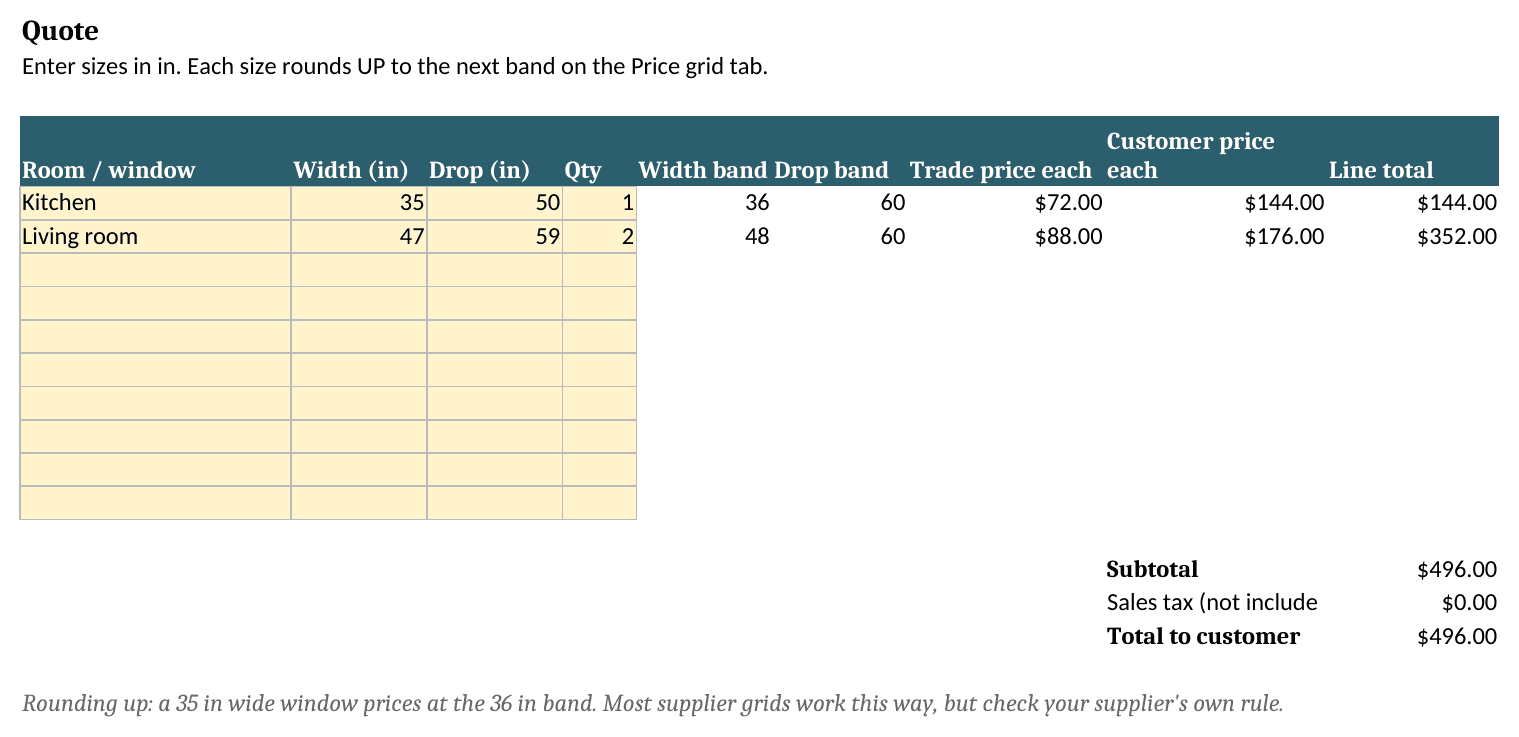
How to read a blinds price grid
Most made-to-measure blinds and shades are priced from a grid your supplier sends you, usually as a PDF or an Excel file. Widths run across the top, drops (or heights) run down the side, and each cell is your trade price for that size in one fabric group.
The part that trips people up is that a measured size almost never sits exactly on a band.
Round up, not to the nearest
Take the first width at or above the window's width, and the first drop at or above its drop. That cell is your cost. Squaro's guide to grid quoting describes the same rule (source).
Here's a made-up grid in inches to show it. Widths are 24, 30, 36, 42 and 48. Drops are 36, 48, 60 and 72.
A blind measured at 35¼ × 61 in is priced at the 36 in width and the 72 in drop. Your customer pays for 36 × 72, not for the size they measured. That's normal, but it's also why two quotes for "the same" window can differ by a band.
In millimetres it works the same way: 900 × 1200 mm on a grid with 1000 mm and 1250 mm bands prices at 1000 × 1250.
To check a measured size against your own bands, use the blind size band checker.
The edge cases
- Smaller than the first band. Usually priced as the first band. Check your supplier's own rule.
- Bigger than the last band. Not orderable from that grid. Ask the supplier, or treat it as price on request.
- Blank or "POA" cells. Don't guess. Quote them as price on request.
- Just over a band. Some shops decide in advance how to handle a window a few millimetres over a step (for example, quote the lower band subject to a check measure). Pick a rule and apply it to every window, not case by case.
Then your markup
The cell is cost. Your price is cost × your multiplier, then rounding, then tax. A 2× multiplier is a 100% markup, which is a 50% gross margin. People mix those two up all the time.
Want customers to do this on your website?
Glasstally turns your supplier's Excel or digital PDF price list into a calculator on your own site. Customers type their size and see your price. Every price links back to the cell it came from, and nothing goes live until you publish.